

Qatch ondersteuningscentrum
Hier vindt u onze productdocumentatie en standaard werkprocedures.
Connected partners
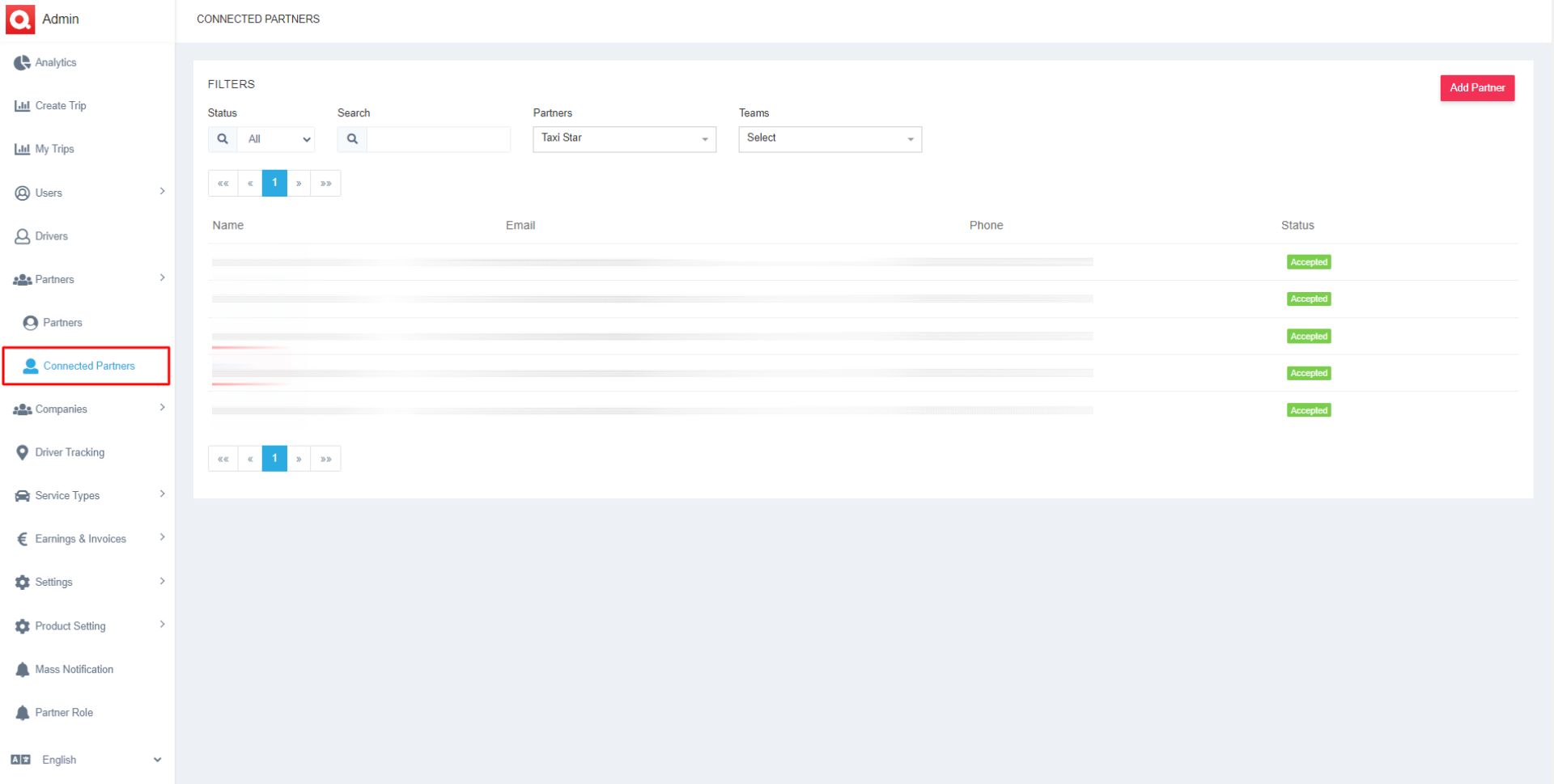
- To watch the particular details of the connected partners, the admin has to apply the according filters, which contain details like,
- Status- Select one option from Pending or Accepted, and the data will be displayed accordingly.
- Search- Search for any particular connected partner to view and modify their details.
- Partners- Pick any specific partner from the list to view their connected partner.
- Teams- View the teams of the two partners and their details.
- After setting the appropriate filters, the according list of connected partners will appear.
- The list contains the details of the connected partners like Name, Email, Phone, and Status of that connected partner.
- You can even Add a Partner from the top right corner.